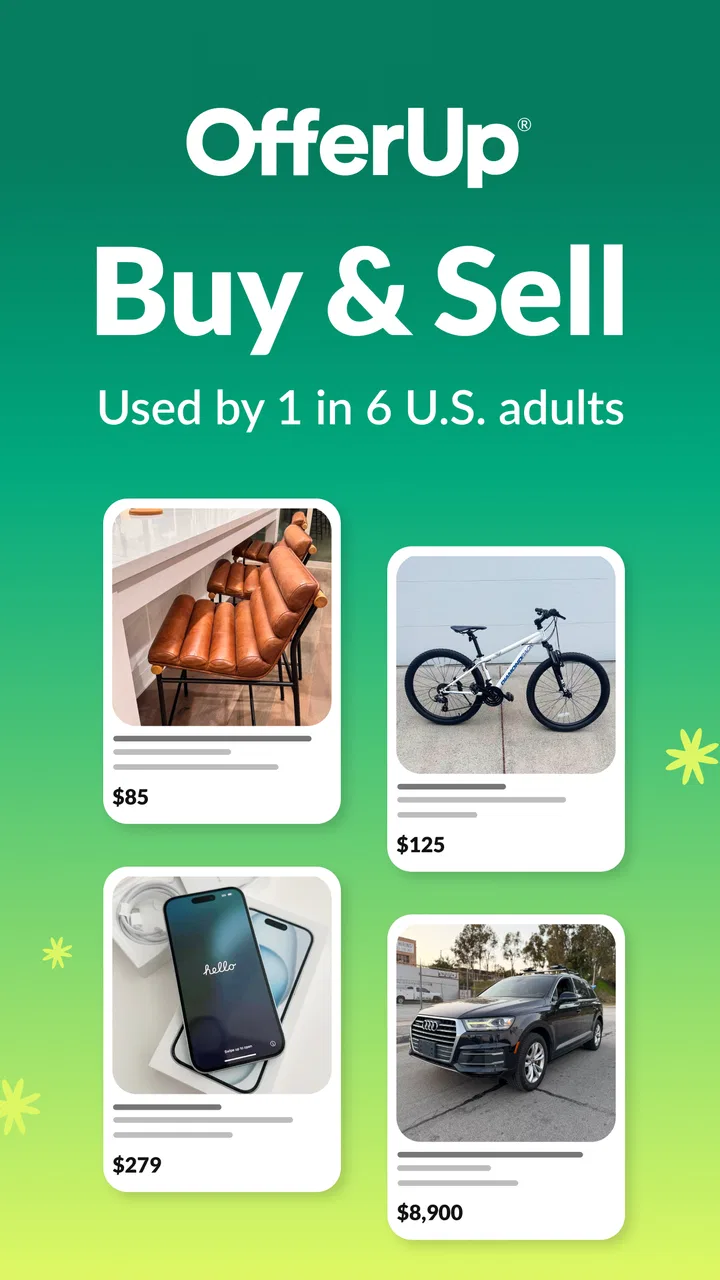
OfferUp Buy & Sell Marketplace
- 4.4
- Rating
- 50.00M
- Installs
- Free
- Price

 Analysis by App-foxy
I approached OfferUp as a practical way to buy and sell second-hand items nearby, rather than as a polished retail store. The difference matters: the experience depends on what people in your area are listing, how clearly they describe it, and whether both sides communicate well. When those pieces line up, the app can be a very efficient place to find useful bargains or turn unwanted belongings into cash.
OfferUp is a free shopping app from OfferUp Inc. for devices running iOS 11 or later. It is rated for Everyone, and its large community gives it a much better chance of being useful than a nearly empty local marketplace. The app has an average rating of 4.4 from around 1.2 million ratings, with more than 50 million installs. That scale does not guarantee a good listing in your neighborhood, but it does make the service worth checking before I buy or sell locally elsewhere.
What to Expect Before You Start
The central idea is simple: browse nearby listings, contact a seller, agree on the details, and arrange the transaction. Sellers create listings for items they no longer need, while buyers search through categories and decide whether the condition, location, and asking price make sense. I found the app most useful for furniture, household goods, electronics, clothing, tools, and other items where seeing the condition in person is valuable.
In-Depth Coverage of OfferUp Buy & Sell Marketplace
This is not the same as ordering from a conventional online shop. There is no uniform product photography, consistent packaging, or predictable stock. One listing may have careful photos and a detailed description; another may contain a single dark image and a vague sentence. That inconsistency is part of the bargain. You can discover a great deal, but you also need to inspect the information instead of treating every listing as ready-to-buy inventory.
The strongest reason to use it is convenience. A nearby listing can save delivery costs, reduce waiting, and make large items realistic to purchase. A desk, chair, shelf, bicycle, or appliance may be awkward to find through a normal retailer, while a local seller may already have one available. On the selling side, the app gives me a focused place to show an item to people who are actively looking for second-hand goods.
The main limitation is that local marketplaces require patience. A search may produce many tempting results, but some will be outdated, poorly described, overpriced, or unavailable by the time I ask about them. I also have to spend time comparing similar listings and confirming the details. If I need a guaranteed model, exact color, formal warranty, or immediate delivery, a conventional retailer is usually the better choice.
There are also optional purchases inside the app, ranging from $0.49 to $749.99 per item. I would not treat those as necessary for ordinary browsing or a first transaction. Before paying for anything extra, I would first learn how much attention my listing or search already receives and make sure the added option solves a real problem.
Why the local focus changes the buying decision
Distance is not just a filter here; it changes the economics of the purchase. A cheap item that requires a long drive may no longer be a bargain once fuel, time, and coordination are included. I recommend comparing the total effort with the item’s value, especially for low-cost household goods. A slightly more expensive listing closer to home can be the smarter deal.
Local availability can also help me judge condition before committing. For items such as monitors, lamps, small appliances, or furniture, I can ask targeted questions and inspect the object rather than relying entirely on a seller’s description. That advantage disappears if I rush into an arrangement without clarifying where and when the exchange will happen.
Setting Up an Account Without Overcomplicating It
After installing the app, I would begin with a narrow goal instead of browsing everything. Decide whether you want to buy a particular item, sell something already in your home, or simply understand the local market. That choice makes the first session much less overwhelming because the app contains a broad range of listings and the quality varies from one seller to another.
For a buyer, start with a specific search phrase rather than a broad category whenever possible. Searching for the exact type of object you need makes it easier to compare condition and asking prices. If the results are too narrow, widen the wording gradually. This is more useful than opening every category and scrolling without a clear reference point.
For a seller, prepare the item before creating the listing. Clean it, gather any relevant accessories, and decide what information a cautious buyer would ask for. A clear first photo should show the whole object, while additional photos can reveal wear, labels, connections, dimensions, or included parts. The goal is not to make the item look perfect; it is to reduce uncertainty.
I would also write down the facts that are easy to forget during a conversation: the item’s condition, what is included, any defect, the preferred pickup window, and whether the price is firm. This small preparation prevents the common problem of changing details halfway through a discussion. Honest limitations usually work better than vague descriptions because they help the right buyer decide quickly.
Before contacting anyone, set a realistic budget that includes the trip and any accessories you may need. A low asking price can be misleading if the item is incomplete or requires repair. Conversely, a slightly higher price may be reasonable when the object is clean, complete, and close enough to collect easily. I get better results when I compare the whole proposition rather than focusing on the largest number on the screen.
How I would prepare a first listing
My preferred workflow is to photograph the item in daylight, place the most informative image first, and use the description to answer practical questions. I would mention the approximate age only when I know it, describe visible wear plainly, and state what comes with it. For electronics, I would identify the model and explain whether the power cable or other essential parts are included. For furniture, I would mention noticeable damage and whether moving it requires extra help.
You May Also Like

 Lords Mobile: Kingdom Wars
Lords Mobile Is a Kingdom-Building Routine, Not a Quick Match
A case-by-case verdict on the building, battles, device demands, and social commitments that make Lords Mobile rewarding for some players and exhausting for others.

 PDF Scanner app - TapScanner
TapScanner Makes Paperwork Easier to Capture, Check, and Share
TapScanner makes scanning with a phone feel less like a rescue operation and more like a dependable step in getting work done. Its capture tools are useful, though not flawless.

 Block Blast!
 Shows How Much a Puzzle Game Can Leave Out
A quiet grid game shows why puzzle players increasingly value instant clarity, repeatable skill and low-pressure play—and where the genre still needs to catch up.

 Family Space
 Review: A Shared Routine That Makes Family Life Easier
A parenting app earns its place not by adding more noise, but by making everyday coordination easier. Family Space gets that balance mostly right.

 1Weather Forecasts & Radar
 Makes the Daily Check Worthwhile
A good forecast does more than predict rain. This week's pick turns changing conditions into a clear, practical reason to check before you step outside.

 Clash of Clans
 Makes Patience Part of the Strategy
A village builder with a sharp tactical core, Clash of Clans turns patience into momentum and each raid into a small, satisfying act of judgment.
More From Our News Desk
View All News


A useful listing is also easy to scan. I would avoid filling it with exaggerated claims or unrelated keywords. A buyer searching for a specific object wants to know what it is, what condition it is in, and how the exchange will work. Clear information saves messages and discourages people who would not accept the real condition anyway.
What a first buyer should check before messaging
I look for agreement between the title, photos, and description. If the title suggests one model but the image shows another, I ask before making plans. I also check whether the listing appears to include the accessories needed to use the item. With second-hand electronics, that simple question can prevent a disappointing trip.
I would avoid sending a generic “Is this available?” when the listing has a specific detail worth confirming. A better message asks whether the item is still available and refers to one concrete point, such as condition, included parts, or the preferred collection time. That makes the conversation more efficient and shows that I actually read the listing.
Getting to the First Meaningful Success
For a first purchase, I recommend choosing something straightforward and easy to inspect. A small household item is less stressful than a complicated electronic device or a large piece of furniture. The aim is to learn the rhythm of browsing, messaging, confirming, and collecting without adding unnecessary complications.
Suppose I need a desk lamp for a home office. I would search locally, compare several listings, and note the differences between a clean lamp with a working bulb socket and one that is cheaper but visibly damaged. I would ask whether the switch works, whether the power cable is included, and whether the photos show the actual item. Once the seller confirms the details, I would agree on a specific meeting window rather than leaving the plan open-ended.
That scenario illustrates a valuable habit: turn a vague listing into a clear agreement before traveling. Confirm the item, price, location, and timing in the conversation. If any of those points changes, I would reconsider instead of assuming the difference will be harmless. A few extra messages are much cheaper than an unnecessary trip.
At collection, I would inspect the item before completing the exchange. Check the condition against the photos, test the basic function when practical, and make sure the included parts are present. For a chair or table, look at joints and surfaces; for an electronic item, check power and obvious physical damage. This is especially important because a local marketplace purchase is not the same as buying a standardized new product.
Selling has a similar first-success path. I would choose one item that is easy to describe and simple to hand over. After publishing the listing, I would keep the conversation organized and avoid promising the item to several people at once unless I clearly explain the situation. If a buyer asks a reasonable question, answering it directly can be more productive than repeatedly lowering the price.
One non-obvious advantage is that the app can help me understand what buyers actually care about. If several people ask about the same missing detail, that is a signal to improve the listing rather than answer the question individually forever. Adding a photo of a label, showing a defect honestly, or clarifying what is included can reduce friction and attract more suitable interest.
How to compare OfferUp with familiar alternatives
Compared with a regular retailer, OfferUp offers more variety in used and locally available goods, but much less consistency. A store is better when I need a receipt, a standard return process, exact stock, or predictable delivery. The local marketplace is better when I value a lower price, a nearby pickup, or an item that is no longer commonly sold new.
Compared with a general classifieds website, the mobile-first experience feels more natural for quick browsing and messaging. However, the same basic trade-off remains: the quality of the experience depends heavily on local participation. A different marketplace may be better in a particular area if it has more active listings for the item I want. I would compare actual search results rather than choosing based only on reputation.
Compared with a social-media group, OfferUp keeps the shopping purpose clearer. A dedicated listing is easier to evaluate than an item buried in a fast-moving feed. On the other hand, a neighborhood group may be more useful for very local recommendations or unusual objects. My choice would depend on whether I need structured browsing or a community conversation.
Confusing Moments and Friction Worth Knowing
The biggest source of confusion is the difference between seeing a listing and having a confirmed deal. A message, a saved item, or an informal promise does not necessarily mean the exchange is settled. I would treat the transaction as real only after the essential details are agreed and I know the seller or buyer is still committed.
Another common problem is interpreting silence. A seller may not answer quickly, while a buyer may stop responding after asking several questions. I try not to build my entire plan around one conversation. Keeping a short list of comparable listings prevents a delayed reply from wasting the day and makes it easier to move on politely.
Price negotiation can also create friction. I would not begin with an unrealistically low offer, especially when the listing already explains the condition and appears fairly priced. If I do negotiate, I would make a clear offer and include a practical reason, such as being able to collect at a convenient time. Sellers are more likely to appreciate a simple, reliable arrangement than a long exchange over a very small difference.
As a seller, I would expect some messages that are vague or do not lead anywhere. That is normal for a marketplace with many casual users. A firm but courteous response helps: state whether the item is available, repeat the price if needed, and offer a specific collection window. If the conversation becomes confusing, I would restate the agreement in one message so both sides have the same understanding.
Safety and judgment should remain part of every exchange. I prefer public, sensible meeting arrangements and avoid sharing unnecessary personal information. I would be cautious about requests that move the conversation into unusual payment arrangements, create artificial urgency, or ask me to ignore the original terms. The app can connect people, but it cannot replace ordinary care when meeting a stranger or evaluating an item.
Three habits that make the app noticeably better
- Use a comparison shortlist: keep several realistic listings in mind instead of treating the first attractive result as the only option. Compare distance, condition, included parts, and the effort required to collect it.
- Ask one inspection question: tailor the question to the item’s likely failure point. For a lamp, ask about the switch; for a chair, ask about stability; for electronics, ask about power and accessories.
- Improve the listing from real questions: repeated buyer questions reveal what the photos or description fail to explain. Update the presentation rather than answering the same uncertainty separately.
These habits are more valuable than simply scrolling longer. They turn the app from a stream of tempting objects into a decision-making tool. I also find that they reduce wasted travel, which is one of the hidden costs of local shopping.
Who Should Use It and Who Should Skip It
I would recommend OfferUp to someone who enjoys finding practical second-hand deals, can inspect items locally, and is comfortable communicating with individual sellers. It is particularly suitable for furnishing a home on a budget, replacing a household object quickly, clearing out a garage, or looking for items where cosmetic wear is acceptable.
It is also a good fit for sellers who are willing to take decent photos, describe flaws honestly, and respond to messages. The app does not remove the work involved in selling. It gives the item a place to be seen, but the quality of the listing and the reliability of the communication still determine whether the process feels easy.
I would skip it when I need a guaranteed delivery date, a formal warranty, standardized condition, or a simple return path. I would also avoid relying on it for a time-sensitive purchase if there are no comparable listings nearby. In those cases, a retailer or a specialized marketplace may justify a higher price through certainty and support.
The app is free to download, and its Everyone rating makes it broadly accessible. Its current version is 2026.6.0, so keeping the app updated is sensible when using a marketplace where messaging and listing details are central to the experience. The large user base is encouraging, but local activity remains the deciding factor for many searches.
My Final Take After Using the Marketplace
OfferUp works best when I treat it as a tool for careful local negotiation, not as a digital department store. Its strength is the connection between nearby buyers and sellers, especially for used objects that are expensive to ship or easy to inspect in person. Its weakness is the uneven quality of listings and the amount of judgment required from the user.
For a first meaningful result, I would start with one manageable purchase or one easy-to-describe item for sale. Search narrowly, compare several options, ask a question that tests the important detail, and confirm the complete arrangement before traveling. That process makes the app feel far more reassuring than simply browsing until something looks cheap.
My honest recommendation is conditional but positive: try it if flexibility and local value matter more to you than retail certainty. Be patient with incomplete listings, protect your time, and judge the total deal rather than the headline price. When I follow those rules, the app earns its place alongside ordinary shopping options instead of trying to replace them.
FAQs for OfferUp Buy & Sell Marketplace
01What is OfferUp and how does it work?
OfferUp is a mobile app designed for buying and selling items locally. Users can list items for sale by taking a photo, providing a description, and setting a price. Buyers can browse listings in their area, chat with sellers directly within the app, and arrange for pickup or delivery of items.
02Is OfferUp free to use, and are there any hidden fees?
OfferUp is free to download and use for both buyers and sellers. However, there are optional fees for certain features, such as promoting listings or shipping items outside your local area. It's important to review these options carefully to avoid unexpected costs.
03How safe is it to conduct transactions on OfferUp?
OfferUp prioritizes safety by allowing users to verify profiles and encouraging in-app communication. The app also provides tips for safe transactions, such as meeting in public places and using cashless payment methods. Users should remain cautious and report any suspicious activity to OfferUp's support team.
04Can I use OfferUp to ship items, or is it just for local transactions?
While OfferUp is primarily for local transactions, it does offer shipping options for those who wish to sell to buyers outside their immediate area. Sellers can enable shipping on their listings, and OfferUp provides guidance on packaging, shipping, and tracking items securely.
05What should I do if I encounter issues with a buyer or seller?
If you encounter issues such as disputes over items or payment, OfferUp provides a support system where users can report problems directly through the app. It's advisable to document all communication and transaction details to help resolve the issue efficiently. OfferUp’s team is available to assist with any unresolved disputes.
Pros
- User-friendly interface for easy navigation.
- Wide variety of items available locally.
- In-app messaging for secure communication.
- Option to rate buyers and sellers.
- No listing fees for standard posts.
Cons
- Frequent ads can be distracting.
- Limited customer support options.
- Some areas have fewer listings.
- Verification process can be slow.
- Occasional issues with app notifications.

OfferUp Buy & Sell Marketplace
Gallery